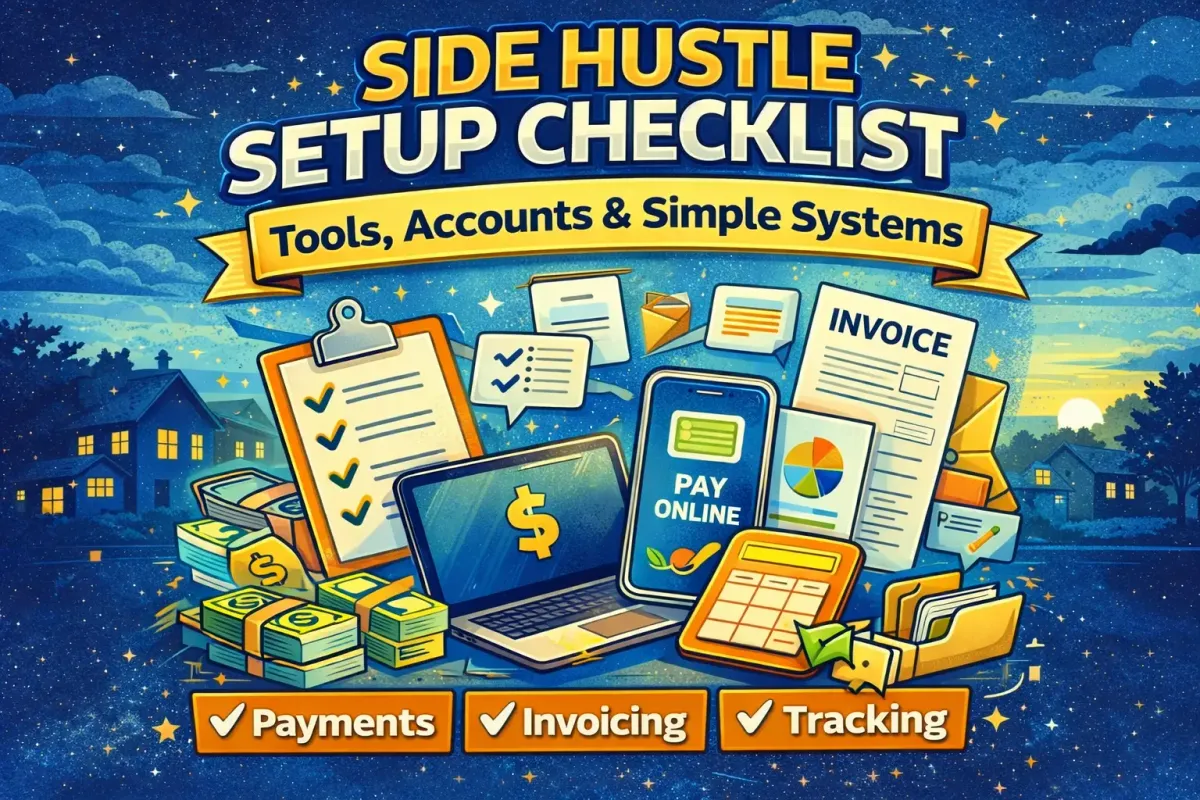
Side Hustle Setup Checklist: Tools, Accounts & Simple Systems
Set up your side hustle the right way with a simple checklist for payments, invoicing, tracking income and expenses, lead follow-ups, and easy workflows. Includes copy/paste templates and a 7-day setup sprint to stay organized from day one.
Starting a side hustle is exciting—until it starts to feel messy.
A message gets missed. A customer asks for an invoice and there isn’t one. Money hits a personal bank account and the numbers get confusing. Receipts disappear. A lead goes cold because nobody followed up.
Most side hustles don’t fail because the idea is bad. They fail because the operations are chaotic. The good news is that side hustle systems don’t need to be complicated. A few basic tools, accounts, and simple routines can make the entire thing feel lighter—and help income show up faster.
This guide is a practical, step-by-step side hustle setup checklist. It focuses on the essentials: payments, invoicing, tracking, and simple systems that keep everything organized from day one. It also includes copy/paste templates and a 7-day setup sprint.
Key idea: Set up only what helps the side hustle get customers, get paid, and deliver well—then add extra tools later.
The “Minimum Viable Setup” (What to Do First)
A beginner side hustler doesn’t need a fancy website, an expensive app stack, or a perfect logo. They need a setup that makes it easy to:
- Get leads
- Get paid
- Deliver
- Track money
- Follow up
Everything else is optional.
Don’t overbuild—set up what helps you get paid
A common trap is “productive procrastination.” It looks like work, but it delays money:
- spending hours on branding
- researching tools for weeks
- building a website before getting a single customer
- making a complicated business plan
A better approach is to build the operating system first.
The minimum viable setup should answer these questions:
- How will customers contact the side hustle?
- How will payment be collected?
- How will invoices/receipts be handled?
- How will leads and jobs be tracked?
- How will receipts and expenses be stored?
- How will the side hustle avoid missing messages or follow-ups?
Once those basics are in place, the side hustle becomes easier to run consistently.
Choose a hustle type (systems differ)
The best side hustle tools and systems depend on the business model. This guide covers four common types:
- Services (local or online)
Examples: cleaning, lawn care, tutoring, editing, VA work - Reselling/flipping
Examples: marketplace selling, decluttering, thrift flips - Ecommerce/digital products
Examples: print-on-demand, small online store, digital downloads - Content/newsletter/affiliate
Examples: blog + newsletter, media sites, affiliate reviews
Most beginners start with services or reselling because they can generate income faster. Regardless, the core checklist below applies to all.
Core Accounts to Set Up (Day-One Essentials)
If a side hustle can’t reliably communicate, accept payments, and track money, it will eventually feel stressful. These accounts fix that.
A dedicated side hustle email (plus a simple folder system)
A separate email creates separation between “life” and “hustle,” and it makes organization easier.
Minimum setup:
- One dedicated email account
- A folder/label system inside the inbox
Suggested folder labels
- Leads / Inquiries
- Booked / Active Jobs
- Payments / Invoices
- Receipts / Expenses
- Platforms / Accounts
- Taxes (if relevant)
This prevents “lost messages” and makes it easy to search history when a customer asks a question later.
Pro tip: Create 2–3 canned responses (templates) inside the email platform for inquiries and follow-ups.
Business identity basics (without making it complicated)
A beginner does not need to register a company name immediately in most cases. But they do need clarity on how they present themselves.
Decide these basics:
- Display name: what customers will see
(Example: “Hustler Herald Cleaning” or “Dan’s Yard Care”) - Service area / availability: where and when the side hustle operates
Offer sentence: a clear one-liner
“I help [who] get [result] without [pain].”
Optional early-stage branding (keep it minimal):
- a simple logo (only if it helps)
- one consistent color
- one profile photo or icon used everywhere
When a side hustle looks consistent, it feels more trustworthy—even without advanced branding.
A place to receive payments (essential)
Getting paid should be simple. The fewer steps for the customer, the better.
The best payment setup depends on whether the hustle is:
- in-person services
- online services
- reselling
- ecommerce
Payment options (choose 1–2)
Common options
- Bank transfer
- Card payments (in-person or online)
- Payment platforms (online invoices, links)
- Cash (for local services, with caution and receipts if needed)
Practical rule for beginners
- Use one primary method
- Have one backup method
Safe payment basics (for side hustles)
This isn’t legal advice—just practical protection.
- Don’t accept “overpayments” or complicated payment arrangements
- For in-person services, consider deposits for booked time
- For reselling, use safe meeting points and avoid shipping to unknown buyers unless using secure platforms
- Keep payment confirmation screenshots or invoice records
A side hustle system that protects payment reduces stress and prevents loss.
A booking/contact method (so leads don’t get lost)
Customers should know exactly how to book.
Minimum viable booking process
- “Message here with your suburb + what you need”
- Or “Email with details for a quote”
- Or “Use this form to request availability”
Better (once traction exists)
- simple scheduling link for service bookings
- a “how to book” pinned post or page
The key is one clear workflow:
- inquiry → quote → booking → payment → delivery
When customers are unsure what to do next, they delay—and leads go cold.
Money Systems (So You Don’t Lose Track)
Money tracking is one of the most overlooked side hustle systems. It matters because:
- it shows whether the hustle is profitable
- it avoids “tax season panic”
- it makes pricing decisions easier
- it prevents the hustle from feeling confusing
Invoicing and receipts (simple options)
Many beginners avoid invoices. Then they look unprofessional when a customer asks for one.
An invoice does not need to be complicated. It should include:
- Invoice number (simple count is fine: 001, 002, 003)
- Date
- Customer name (or “Customer”)
- Description of work
- Amount
- Payment method
- Payment terms (e.g., “due on receipt”)
When to invoice vs take payment upfront
- Local services: deposits + remainder on completion often works well
- Online services: payment upfront or milestone-based payments reduce risk
- Reselling: payment before handover or via platform protections
A side hustle should have a consistent rule, even if it’s basic.
Copy/paste invoice template (simple)
Use this as a starting point in a document:
INVOICE
Invoice #: 00X
Date: YYYY-MM-DD
Billed To: [Name / Customer]
Service: [Brief description]
Date of Service: [Date]
Total Due: $XXX
Payment Method: [Bank transfer / link]
Payment Terms: Due on receipt
Notes: Thanks for your business.
Tracking income and expenses (minimum viable bookkeeping)
A beginner doesn’t need accounting software on day one. A spreadsheet works.
Simple spreadsheet layout
Create columns like:
- Date
- Type (Income / Expense)
- Description
- Category
- Amount
- Payment method
- Receipt link (folder/file name)
- Notes
Suggested categories (start simple)
Income
- Jobs/services
- Sales
- Platform payouts
Expenses
- Platform fees
- Tools/subscriptions
- Supplies/materials
- Advertising/printing
- Travel/fuel
- Equipment
- Other
A beginner should aim for clarity, not perfection.
Weekly money review (10 minutes)
Once per week:
- update income/expense entries
- store new receipts
- check profit
- note what costs can be reduced
This habit is one of the best “invisible” systems for long-term success.
Pricing system basics (beginner-friendly)
Pricing is a system, not a guess.
Starter pricing rules
- Set a minimum job size (protect time)
- Offer 1–2 packages if possible (simplifies selling)
- Review pricing after 5–10 paid jobs
Package example (service-based)
- Basic: $X includes A, B
- Standard: $Y includes A, B, C
- Premium: $Z includes A, B, C + priority
This reduces negotiation and makes it easier to communicate value.
Operations Systems (Delivery Without Stress)
Once money starts coming in, operations matter. Good operations create:
- fewer mistakes
- faster delivery
- happier customers
- more referrals
- less burnout
The workflow system (Lead → Paid → Delivered)
A simple pipeline keeps everything visible.
Use these stages:
- Lead / Inquiry
- Quoted
- Booked
- In Progress
- Delivered
- Review / Referral
- Repeat customer
A beginner can run this in:
- a notes app
- a simple checklist
- a Kanban board (To Do / Doing / Done)
The point is to never “lose track” of where each lead/customer stands.
Checklists (the beginner superpower)
Checklists prevent mistakes. They also create a professional experience.
Pre-job checklist (services)
- Confirm scope (what’s included)
- Confirm time and location
- Confirm price
- Confirm payment method
- Bring supplies/tools
Delivery checklist (services)
- Follow the agreed scope
- Take before/after proof (if relevant)
- Communicate any changes before doing extra work
- Finish and do a quick quality check
Post-job checklist (services)
- Confirm payment received
- Send receipt/invoice if needed
- Ask for review
- Ask for referral (optional)
- Note lessons in the tracker
Reselling and freelancing can use similar checklists—just customized.
Customer communication templates (copy/paste)
Templates keep communication fast and consistent. They prevent a beginner from “thinking too hard” on every message.
Inquiry response template
“Thanks for reaching out. To confirm, you’re looking for [result]. Could you share [key detail]? Once that’s confirmed, a quote can be sent and the next available times.”
Quote template
“Based on what you shared, the price is $X and includes [scope]. Availability is [times]. If you’d like to lock it in, confirm a time and payment method.”
Booking confirmation template
“Booked for [day/time]. Total is $X. Payment is [method]. If anything changes, message as soon as possible.”
Follow-up template (24–48 hours)
“Just checking in—happy to help if timing is right. If not, no stress.”
Review request template
“Thanks again—glad it helped. Would you be open to a quick 1–2 sentence review? It really helps a new side hustle grow.”
Tools That Save Time (Recommended Stack)
This section focuses on categories of tools rather than “one perfect app.” Beginners should use what they already know—then upgrade when needed.
Notes + task management
Minimum viable option
- Notes app + a daily checklist
Upgrade options
- task manager
- Kanban board
- simple calendar reminders
A side hustle system should make it easier to do the work—not harder to maintain.
File storage + docs
A basic folder structure keeps everything organized:
Suggested folders
- Admin (invoices, receipts)
- Clients (one folder per client)
- Proof (before/after, testimonials)
- Templates (scripts, messages)
- Marketing (images, posts)
When the files are organized, the hustle feels lighter.
Design and content tools (optional)
Not every side hustle needs design tools. But for those that do:
- simple designs for posts/flyers
- simple thumbnails or listing images
- simple brand consistency
A beginner should avoid spending hours on design unless it directly improves conversions.
Website / landing page (optional, stage-based)
A website is useful when:
- customers need more trust
- bookings increase
- pricing and packages need a home
- testimonials need a place to live
But a beginner can start without one if they have:
- a clear offer
- a clear booking method
- proof (even one testimonial helps)
A “one page” approach often works well early:
- offer
- pricing range
- proof
- contact link
Lead Systems (How to Get Customers Consistently)
Most side hustles become real businesses when lead generation becomes consistent.
Where leads come from (pick 1–2 channels)
Beginner rule:
Pick 1–2 lead channels for the first 30 days.
Examples:
- referrals + local groups
- marketplace listings + follow-up
- cold outreach + partnerships
- content + newsletter
When too many channels are used, nothing gets enough reps.
A simple outreach tracker (so follow-up happens)
Follow-up is where many beginners make money. A tracker makes follow-up automatic.
Columns:
- Name
- Contact method
- Date contacted
- Status (Lead / Replied / Quoted / Booked / Closed)
- Next follow-up date
- Notes
A “3-touch” follow-up rule often works:
- initial message
- 24–48 hour follow-up
- final friendly check-in
Proof system (reviews + before/after)
Proof increases conversion and reduces price objections.
Proof can include:
- reviews
- screenshots of messages
- before/after photos (services)
- sales screenshots (reselling)
- mini case studies (freelancing)
Store proof in one folder so it can be reused in posts and listings.
Risk, Safety, and “Legit” Setup
Systems should protect time, money, and identity.
Scam prevention basics (payments + clients)
- Avoid unusual payment methods or complicated transfers
- Use deposits for booked time (especially services)
- Avoid “overpayment” scenarios
- Keep communication inside platform protections when possible
- Use safe meeting points for reselling
Basic legal/tax considerations (general)
This is general guidance, not advice.
Good beginner habits:
- keep receipts
- track income/expenses weekly
- consider separating hustle money if possible
- keep records of invoices and payments
Even if taxes are not being handled yet, records should be.
Setup Checklists (Copy/Paste)
These checklists are designed to be copied into notes or printed.
Universal checklist (any hustle)
- Dedicated email + folders
- One-sentence offer
- Booking/contact method
- Payment method (primary + backup)
- Invoice template + receipt method
- Income/expense tracker
- Receipt storage folder
- Lead tracker + follow-up rule
- Workflow pipeline (Lead → Delivered)
- Review request template
Services checklist (local or online)
- Packages or hourly rate + minimum job size
- Booking confirmation script
- Pre-job checklist
- Delivery checklist
- Post-job checklist
- Review/referral script
- Proof folder (before/after, testimonials)
Reselling checklist
- Photo setup (good lighting + clean background)
- Listing template (title + description + price rule)
- Pricing rules (discount schedule for stale items)
- Safe meeting rules
- Quick response templates
- Inventory list (what was bought + cost + sale price)
Online freelancing checklist
- One portfolio sample (even if self-made)
- Profile bio + offer sentence
- Outreach scripts
- Simple proposal template
- Follow-up tracker
- Delivery checklist + scope confirmation
- Testimonial request template
7-Day Side Hustle Setup Sprint
This sprint creates a complete setup without overbuilding.
Day 1: Offer + email + folders
- write offer sentence
- create dedicated email
- set up folder labels
Day 2: Payment method + invoice template
- choose primary payment method
- create invoice template
- decide payment rules (deposit, upfront, etc.)
Day 3: Tracker + weekly money review habit
- create income/expense spreadsheet
- create receipt folder
- schedule weekly review
Day 4: Workflow board + checklists
- create pipeline stages
- create pre/delivery/post checklists
Day 5: Scripts + templates
- inquiry response
- quote message
- booking confirmation
- follow-up messages
Day 6: Proof system
- create proof folder
- decide how reviews will be collected
- prepare review request message
Day 7: Lead channels + outreach tracker
- pick 1–2 lead channels
- set up outreach tracker
- define daily outreach target
Common Mistakes (and How to Avoid Them)
Mistake: Overbuilding too early
Fix: build only what supports selling and delivery.
Mistake: Mixing personal and hustle money
Fix: track it weekly and separate later if needed.
Mistake: No follow-up system
Fix: use a tracker and follow-up dates.
Mistake: No proof collection
Fix: ask for reviews immediately after successful delivery.
Mistake: Too many tools
Fix: use the simplest tool that gets the job done.
FAQs: Side Hustle Tools, Systems, and Setup
What tools do you need to start a side hustle?
Most side hustles need: a way to communicate (email/messages), a way to accept payments, a basic invoicing method, and a tracking system for income/expenses.
What is the best way to track side hustle income and expenses?
A simple spreadsheet works well for beginners. Track date, type, description, category, amount, and store receipts in a folder.
Do you need a separate bank account for a side hustle?
It can help later, but it’s not always required on day one. What matters most early is tracking and keeping receipts organized.
How do you invoice for side hustle work?
Use a simple invoice template with date, description, amount, and payment details. Keep invoice numbers and store invoices in a folder.
What systems help a side hustle grow?
Lead tracking, follow-up routines, delivery checklists, proof collection, and weekly money reviews are some of the most effective systems.
Do you need a website for a side hustle?
Not always. Many beginners start with a clear offer, booking method, and proof. A website can help later as the side hustle scales.
Conclusion: Simple Systems Create Freedom
Side hustle success isn’t just about hustle. It’s about systems.
A few basic setups—email, payment method, invoicing, tracking, lead follow-up, and checklists—create a side hustle that feels organized and professional from day one.
The goal is not complexity. The goal is calm consistency.
Start with the minimum viable setup, run the 7-day sprint, and add tools only when the side hustle is already producing leads and income.
Subscribe to Hustler Herald for templates, checklists, and weekly playbooks designed for real life.